Certus Golf / Coach
Know what to work on next.
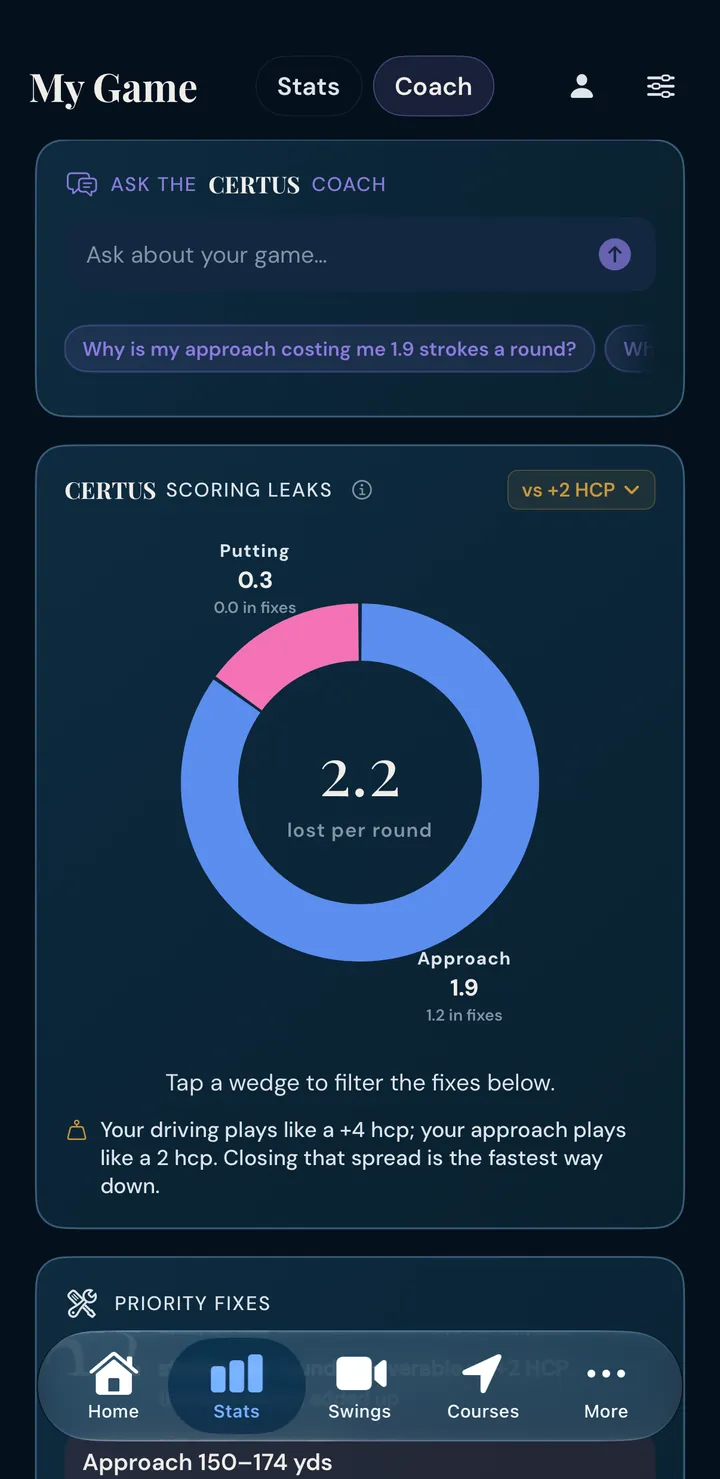


The coach reads every round you log, names the leaks your data is sure of, ranks the fixes by strokes per round, and answers your questions with your own numbers.
The coach reads every round you log, names the leaks your data is sure of, ranks the fixes by strokes per round, and answers your questions with your own numbers.
The coach takes the gap between your game and your benchmark and splits it by category, then down to the distance band or putt length that causes it.
It gets specific: “approaches from 150–174 yards cost you 0.6 a round.” Tap a wedge of the donut to filter the fixes, or switch the yardstick from your benchmark to the better half of your own rounds.
Priority Fixes adds up the leaks the data is sure of (here, 1.2 strokes a round), each with how often you face it, what it costs and the shots behind it, so you can check the math yourself.
Probable leaks wait on the Watch List, out of the total until enough shots prove them.
“Why is my approach costing me 1.2 strokes a round?” gets an answer built from your rounds, distances and misses. Suggested questions start from your biggest leak.
Tap Practice on the coach card and you get a plan built around your biggest leak, down to the yardage band when the data points to one.
Drills chosen for that leak, each with what to do and how many reps.
The numbers to hit that show it’s working.
A few short thoughts to take into your next round.
How often and how long to practice it each week.
Strokes gained, leaks and fixes are computed by the stats engine. The AI only puts them into words.
Numbers on coach cards and recaps are checked against your computed stats, and Ask the Coach checks every claim, before you see them.
AI features are opt-in, and the consent screen says exactly what each one sends: your stats as text for the coach. Your name and email are never sent.
For iPhone, iPad and Apple Watch.